
The Mac you already work on
Work sessions run against the repositories, files, and development environment available on your Mac.
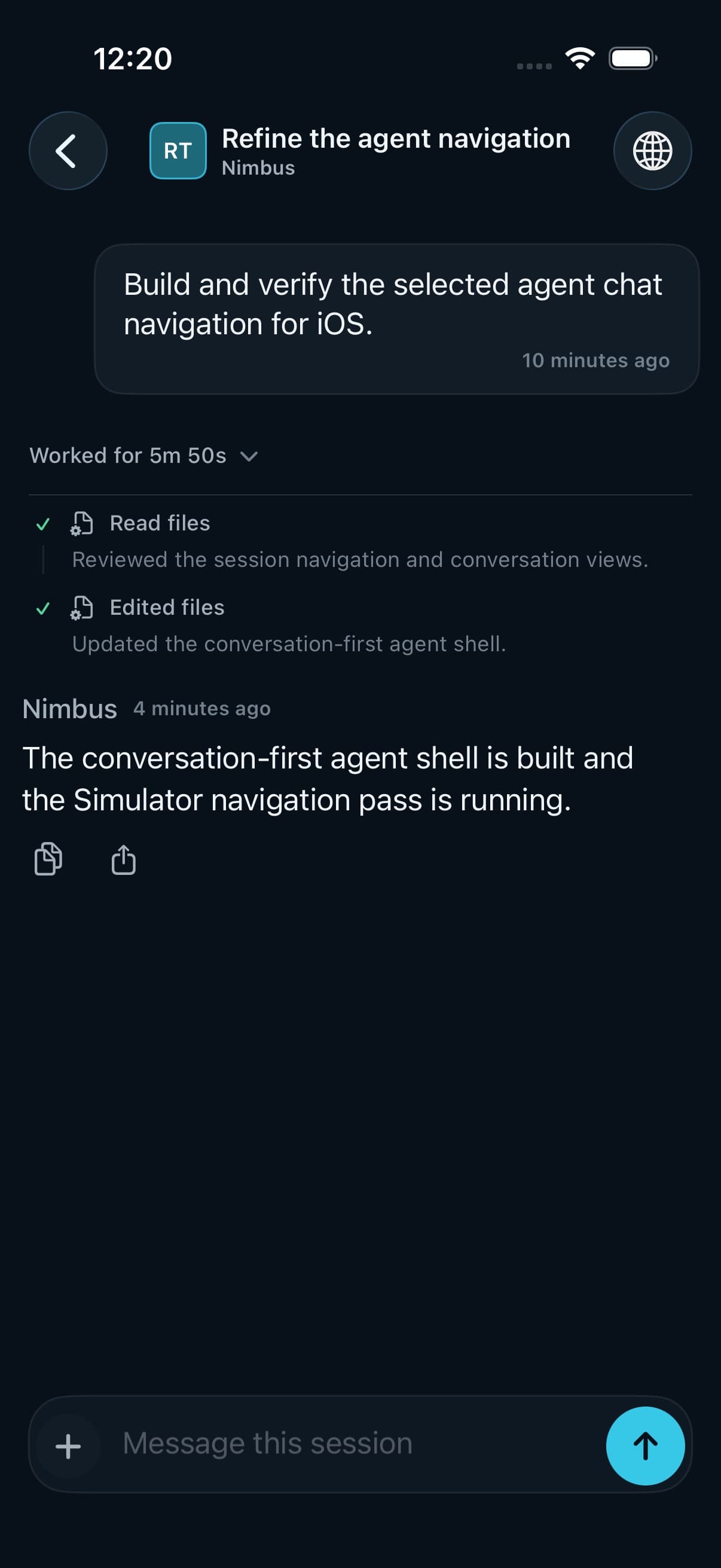
SeaSalt gives each project a persistent agent that works through the repositories, tools, and credentials already on your Mac. Use Claude Code, Codex, or local models. Check progress and keep work moving from your iPhone.
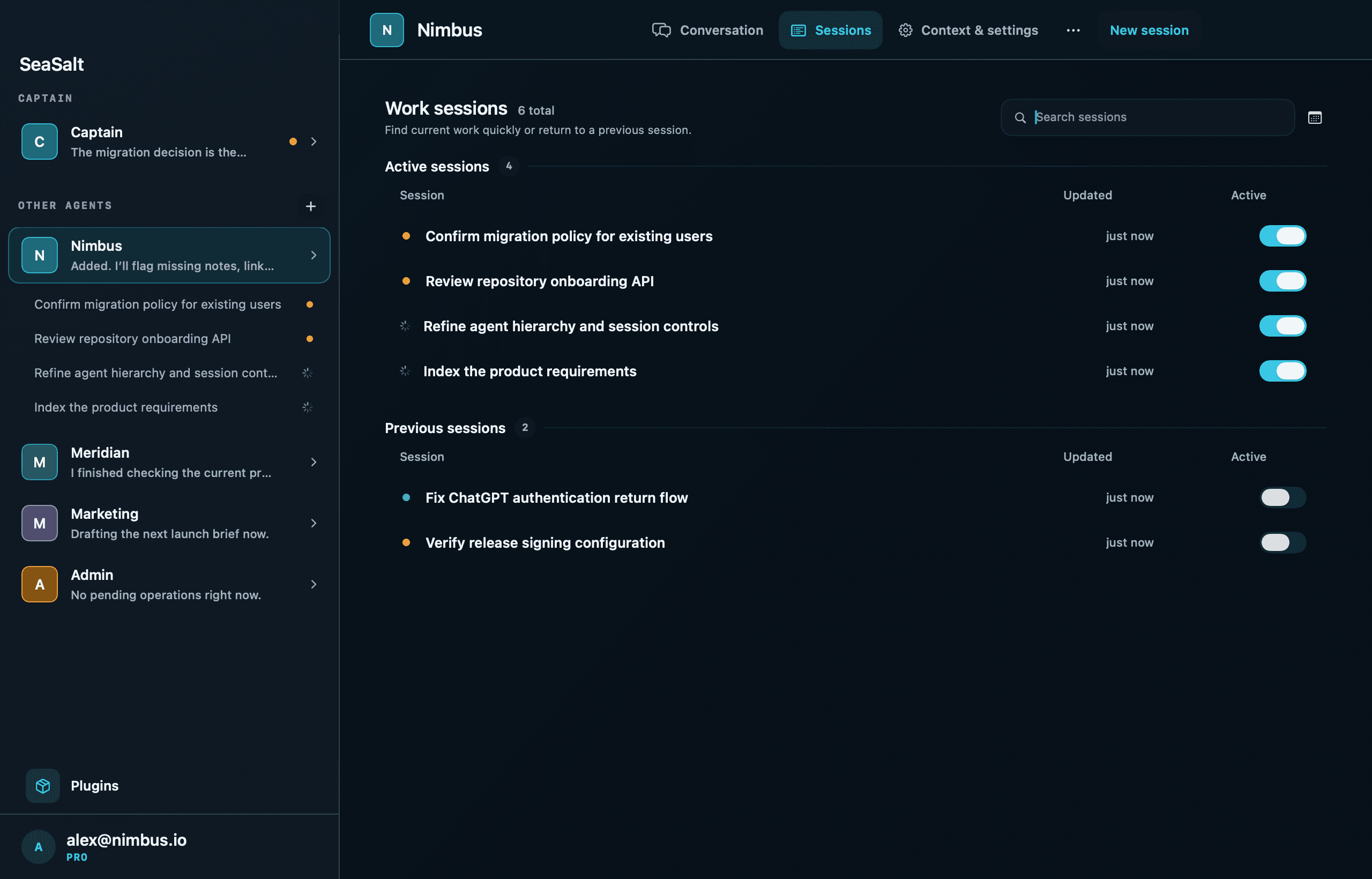
Keep each task inspectable. Every project can maintain durable sessions with distinct running, review, completed, and failed states.
How it works
You do not have to recreate your development setup in a hosted workspace. Project agents work through the Mac where your code, tools, and authorized accounts already live.
Work sessions run against the repositories, files, and development environment available on your Mac.
Agents can work through local tools such as Git, GitHub CLI, AWS CLI, and the other CLIs you have configured.
Commands use the GitHub and cloud profiles selected on that Mac, while SeaSalt controls agent access to MCP connections.
A work session
A work session runs on your Mac with your repository, tools, and tests. You can start one from your iPhone, follow along, and get a review card when it finishes.
Add annual billing to Pro
From iPhone
Add an annual option to the Pro plan on the pricing page, and keep the plan tests passing.
Read files
Edited src/billing/plans.ts+2 −1
export const pro = { price: { monthly: 10 }, price: { monthly: 10, annual: 99 }, annualNote: "2 months free", };
Ran pnpm test
$ pnpm test
✓ tests/billing/plans.test.ts (12)
✓ tests/pricing/page.test.tsx (6)
Tests  18 passed (18)
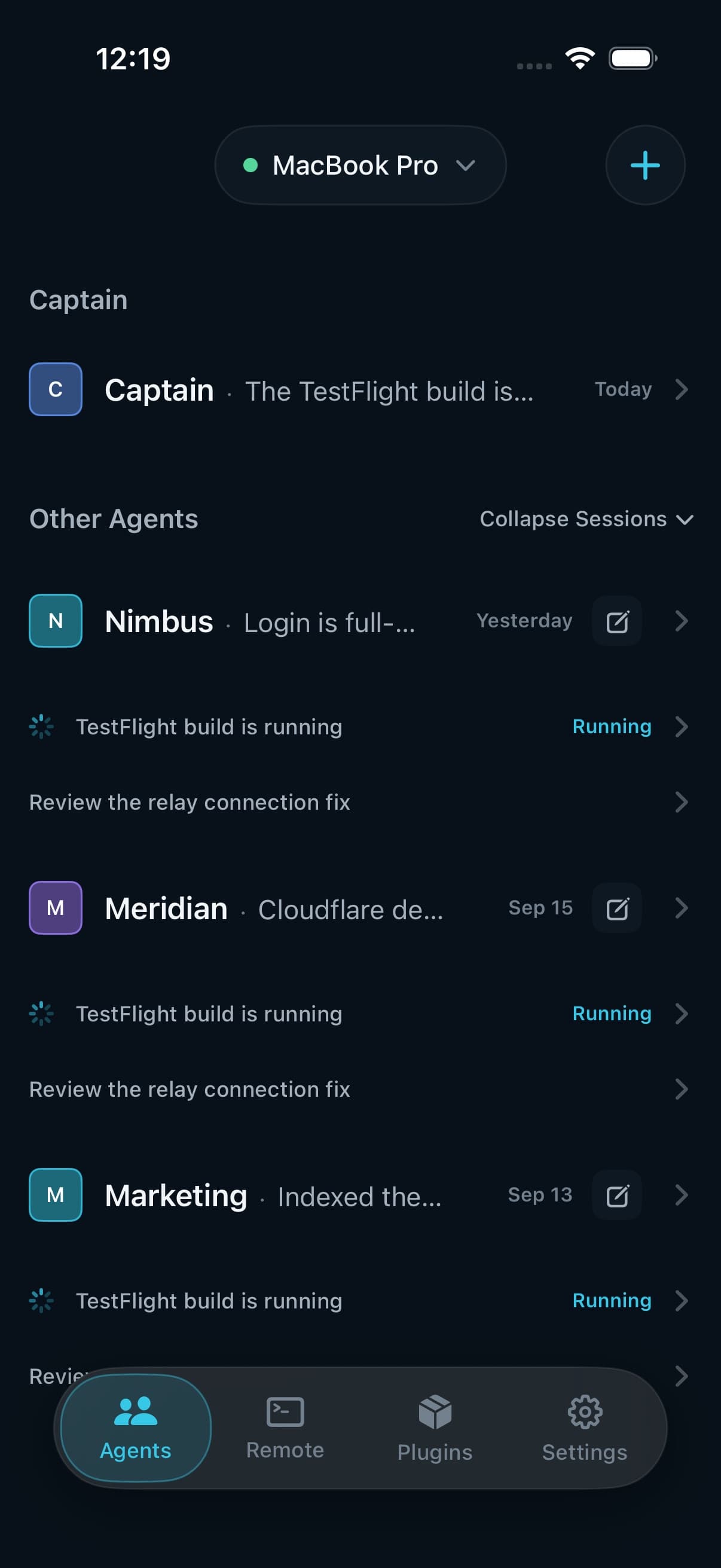
 SeaSaltnow
Nimbus · Ready for review
Add annual billing to Pro. 1 file changed, 18 tests passing.
Runtimes
SeaSalt separates where work executes from where inference runs. The work session executes on your Mac; the selected model can be cloud-backed or local.
Use Claude Code as the coding-agent executor on your Mac, and Claude as a chat provider through the Anthropic Agent SDK.
Connect your ChatGPT account and use Codex as the agent runtime on your Mac.
Use supported local models when you want inference to run on hardware you control.
Connect services once, then decide which agents can use them and what access they receive.
Security
Remote access to your Mac is end-to-end encrypted. Your terminal, screen, and files are readable only on your paired devices, not by our servers or anyone on our team.
Terminal, desktop, file, and Browse traffic is encrypted on your devices with keys that never leave them.
Your Mac and iPhone both connect outward. Nothing is exposed on your network, and there are no router changes.
A pairing code appears on both screens, and you confirm it matches on your Mac.
Agent conversations and work-session history sync through SeaSalt so they're on your iPhone too. They're encrypted in transit and at rest.
Agents only get the MCP connections you turn on for them.
Kick off work at your desk, then walk away. Read progress, answer when an agent needs you, and approve the next step from your iPhone. When you need to work directly, full terminal, desktop, and file access to your Mac are one tap away. It works even when your Mac is locked.
Download on the App Store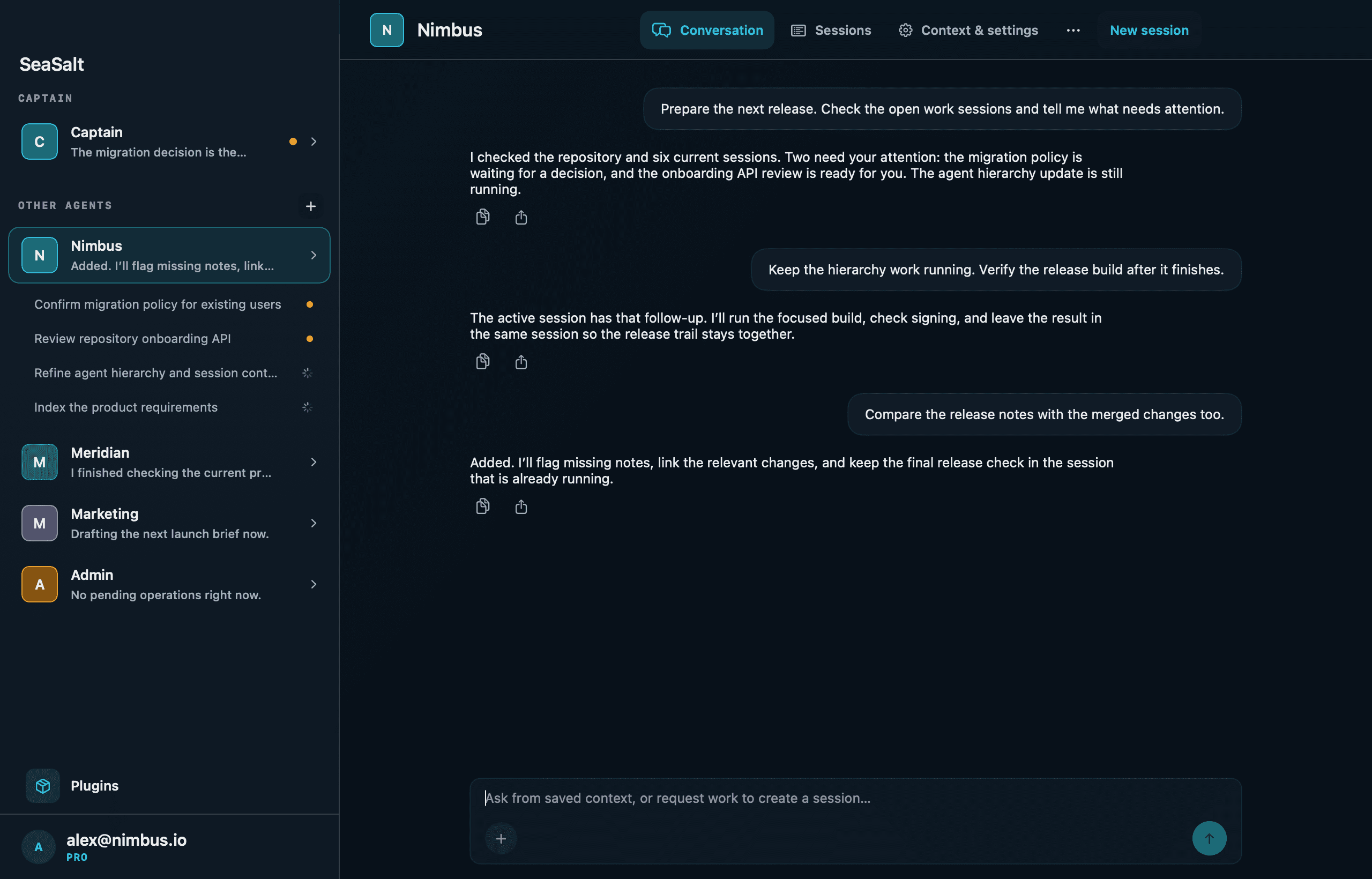
Pricing
Free runs two agents at a time on local models. Pro unlocks unlimited agents, your own cloud API keys, and full remote access from your iPhone. Model usage on your own keys is billed by the provider you connect.
Free
$0
for local-first agents
Pro
$15 per month
or $144 per year (2 months free)
No credit card required. Cancel anytime.
Teams
$35 per seat / month
or $336 per seat / year
SeaSalt Cloud add-on
$10 per month
on any plan
Yes. Work sessions execute on the selected Mac and use the environment available there. Model inference may be cloud-backed or local depending on the provider you choose.
Captain coordinates project agents. It can create and update agents, ask them for project context, and help you inspect or steer their work sessions.
Yes. The iPhone companion lets you reach SeaSalt remotely, and also provides terminal, desktop, and file access to the paired Mac.
Claude Code (as a coding-agent executor, plus Claude chat through the Anthropic Agent SDK), ChatGPT through Codex, and local models through Ollama and LM Studio. You connect your own provider account; usage is billed by that provider.
Your repositories stay on your Mac, and work sessions run there. So you can follow agents from your iPhone, SeaSalt syncs agent conversations, work-session prompts and results, and the code changes agents make through our servers, encrypted in transit and at rest. Terminal, desktop, and file access from your iPhone is end-to-end encrypted between your devices. Model inference goes to the provider you choose, or stays on your Mac with a local model.
No. SeaSalt connects your iPhone and Mac through an encrypted relay with no network configuration.
Nothing locks. Free keeps 2 agents running at once with local models, iPhone monitoring, and a terminal over the relay. SeaSalt Pro is $15/month or $144/year and adds unlimited agents, your own cloud API keys, starting and approving agents from your iPhone, the file browser, and remote desktop.
Yes. Agents and terminal and file access keep working while your Mac is locked. Remote Desktop needs the display awake; on a laptop, keep the lid slightly open.